
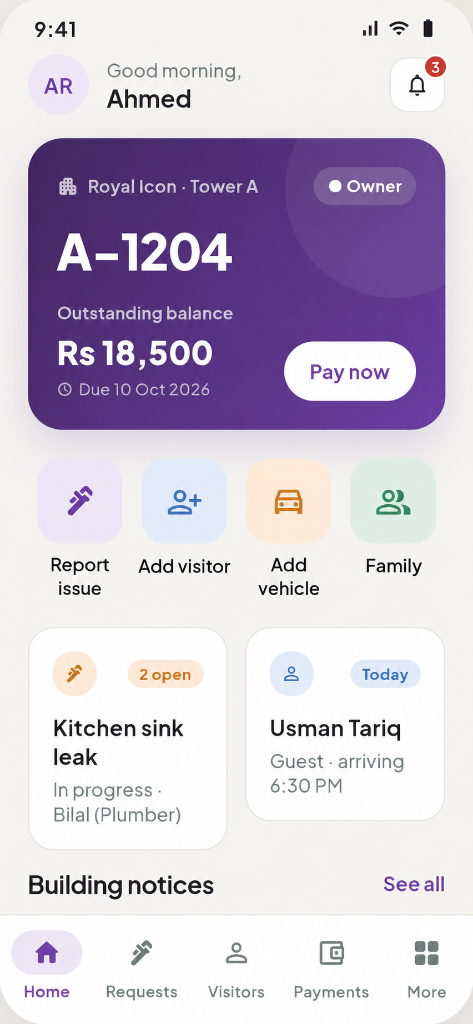
Resident app
Pay dues, raise a request, invite a visitor, register a vehicle or open a family profile — from a phone, in the language they use at home.
A Mobilsmash product for modern communities
Billing, gate security, service tickets, accounts and resident conversations — brought together in one refined workspace. MyResidencia helps you run towers, townhouses and townships with the same care the architecture was designed with.
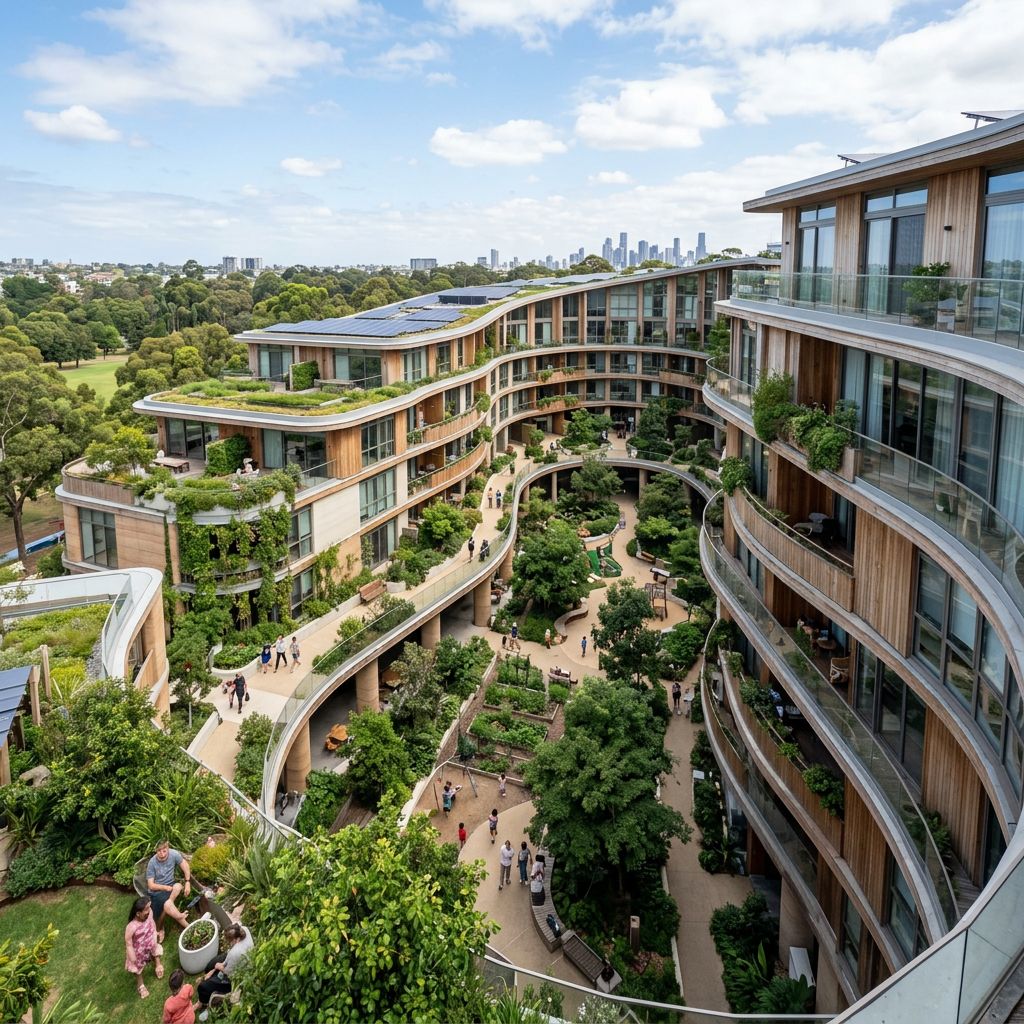
“Great buildings are remembered for how they feel — not how they are administered.”
The feeling of home
The lobby should feel like a hotel, not a helpdesk. The gate should greet a guest in seconds. The conversation about service charges should never be the loudest conversation in the building.
MyResidencia is built around that idea. Every bill, visitor, complaint and repair is recorded once and visible to the right people — so the everyday running of a community stops competing with the experience of living in it.
One platform, four surfaces
The resident app, the gate tablet, the admin console and the finance ledger share the same live record. Nothing is re-typed, nothing is reconciled twice.
Balance, requests, visitors and notices on a single, calm screen.
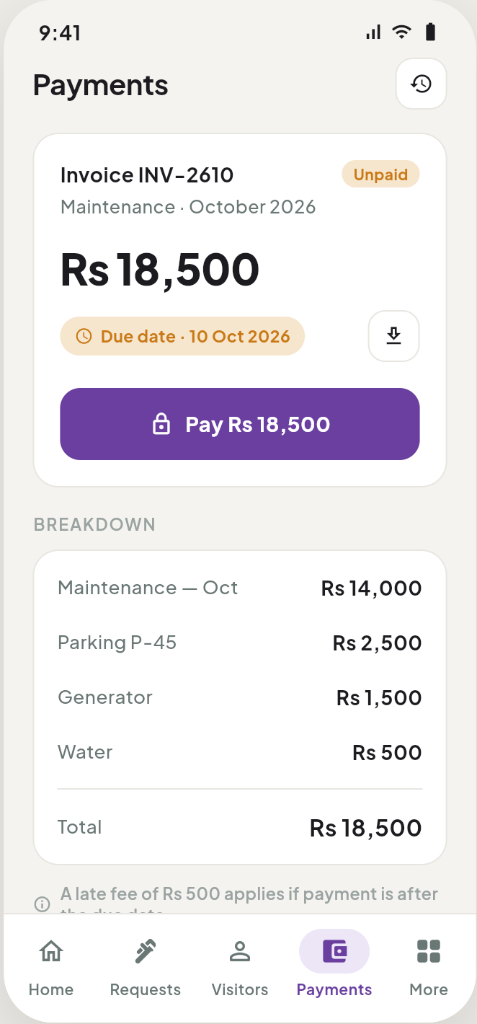
Itemised invoices, downloadable records and one-tap payment.
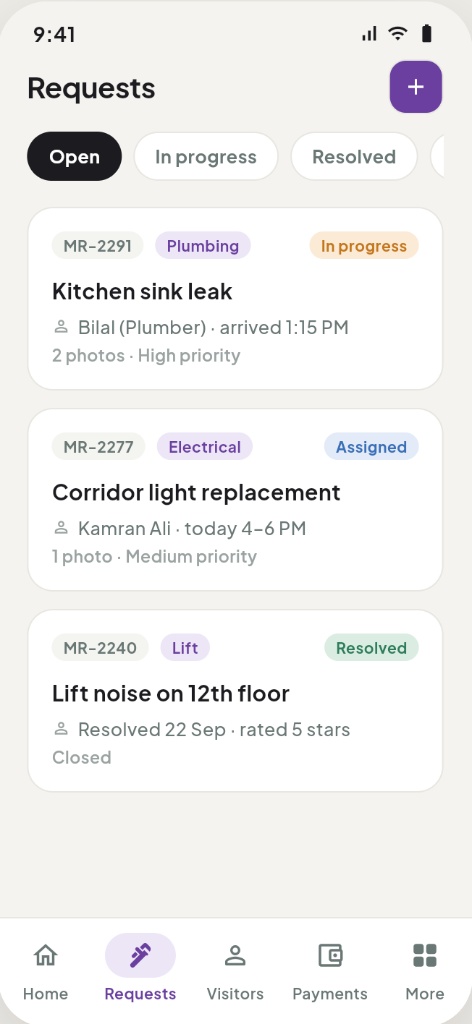
Photo reports, status tracking, assigned technician and rating.
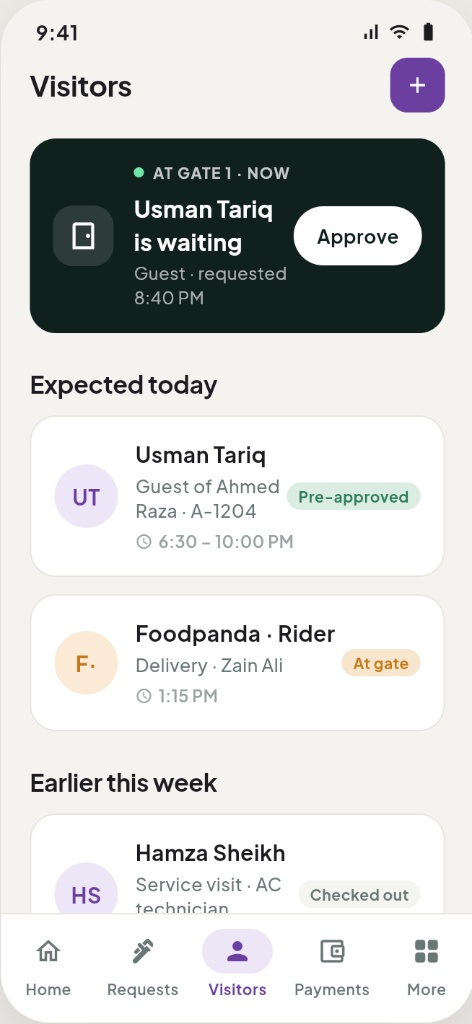
Pre-approve family, guests and deliveries before they reach the gate.
Pay dues, raise a request, invite a visitor, register a vehicle or open a family profile — from a phone, in the language they use at home.
Guards see who is expected, log arrivals and departures, and approve on instruction instead of making phone calls to the flat.
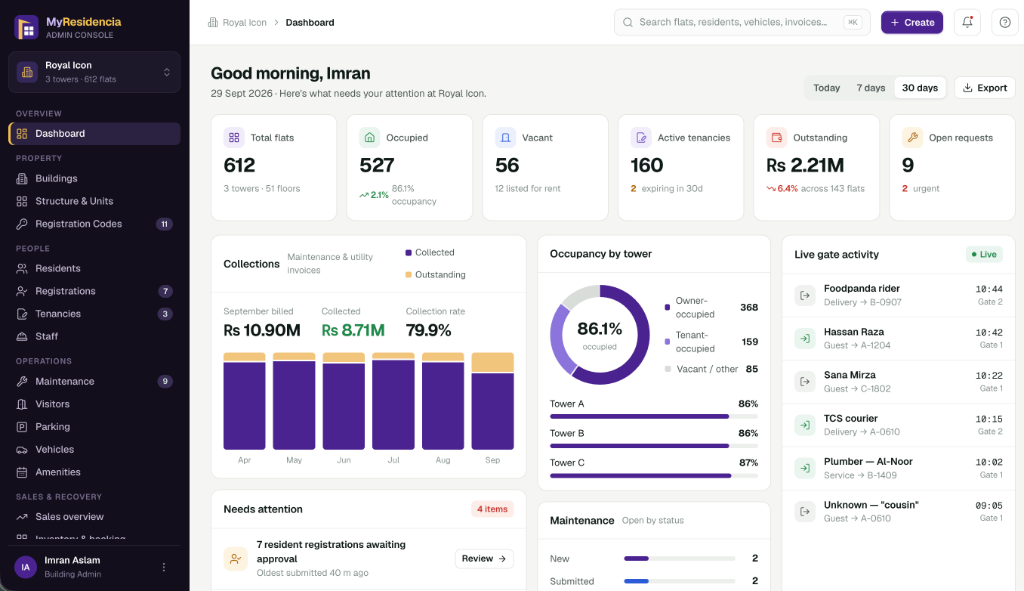
Occupancy, collections, live gate movement and every open ticket across towers — one screen, updated continuously.
Real accounting beneath the surface: invoices, receipts, payables, aging and statements that survive an audit.
Built around your role
A handover team, a volunteer committee and a professional facility manager do not need the same dashboard. MyResidencia gives each one the view they are accountable for.
A finished building is a better-selling building.
Fewer WhatsApp groups. Fewer disputes.
Run more buildings with the same team.
A home that feels looked after.
The honest comparison
It works — until the committee changes, the building grows, or someone asks a question about last year's accounts. Here is what changes when the record lives in one place.
Residents judge the building by the small moments: a guest welcomed without a queue, a leak fixed before it spreads, a bill that explains itself. That is the standard MyResidencia is built to hold.

What's inside
No modules you will never open. Just the work a real building generates every single day.
Maintenance, utilities, parking, generator and one-off charges blended into a single monthly invoice — with receipts and arrears tracking per unit.
A living record of towers, floors, flats, owners, tenants and family members — with tenancy start and end dates kept in order.
Expected lists, one-tap approvals, delivery handling and a timestamped entry log for every person who crosses the boundary.
Photo-backed complaints with category, priority, assignment and closure notes. Residents see progress; managers see accountability.
Income and expense statements, receivables aging, vendor ledgers and balances that reconcile to the invoice level.
Keep the people who keep the building running — attendance, roles, wages, contractors and the jobs assigned to them.
Broadcast maintenance windows, events, circulars and safety notices to the whole society or a single tower.
Panic alerts, service outages and priority escalations reach the right people instantly, with a permanent timestamped trail.
Admin console
Open the console and the building tells you where it stands: occupancy, what has been collected, what is outstanding, who is at the gate right now and which requests are still waiting for a decision.
Figures shown from a live demo building with three towers and 51 floors.
Getting started
We configure your first building with you. Most communities are collecting through MyResidencia by the second billing cycle.
Towers, floors and unit types are mapped in a short onboarding session — including your existing charge heads and arrears.
Owner and tenant records, opening dues and active contracts come across in one guided import. Nothing is re-keyed.
Residents join with a verified unit code. Guards get the gate view. Technicians get their queue. Everyone sees only their part.
Generate invoices, collect, close requests and publish the summary. From here the routine is automatic.
Engagement
Every engagement begins with a guided pilot so your committee can see the platform working on your own data before committing.
Single building or one tower
Multi-tower community
Developer or facility management company
Commercial terms are tailored to unit count, services and region. No pricing is published for that reason — tell us your portfolio and we will be specific.
In the field
“The first month of billing told us more about our own building than three years of registers did.”
“Requests used to arrive by phone call. Now they arrive with a photo, a flat number and a deadline — and they close.”
“Buyers ask what the building will feel like to live in. Showing them the app is the easiest part of the sale.”
Roles shown as representative examples from onboarding conversations. Named references available on request.
Questions
Still curious? Our team answers product questions directly — no sales script.
Ask us anythingYes. We import units, owners, tenants, opening balances and active service contracts from your current spreadsheets or previous software. Historical dues are preserved as opening entries, so statements remain complete from the day you go live.
View and pay invoices, download receipts, raise and follow requests with photos, pre-approve visitors and deliveries, register vehicles, add family members, receive notices and reach the management desk.
Yes. Each building is configured once and can be templated across new launches. A portfolio view lets the developer or facility management company compare collections, occupancy and request performance across projects.
The gate view caches today's expected list and approvals locally, so guards can keep admitting known visitors and the entries sync when connectivity returns. Management is alerted to the outage automatically.
The society owns its data. Access is role-based and scoped: a resident sees their own unit, a technician sees assigned work, an administrator sees the building, and the developer sees portfolio-level summaries only.
No. The guard view runs on an existing tablet, desktop or Android device. Optional integrations with boom barriers, ANPR cameras and smart locks can be added through Mobilsmash during implementation.
Next step
Share your project details and we will set up a walkthrough with your own tower structure in it — usually within two working days.